Agent Instructions vs Knowledge Base
Instructions tell your agent how to behave; knowledge files contain what it retrieves. Keeping them separate is the single biggest factor in answer quality.
Keep instructions and knowledge separate
A common mistake is uploading instructions as knowledge files, or pasting entire documents into the instructions field. Both make it harder for the agent to find the right information.
The two configuration areas
Agent Instructions
Defines role, personality, tone, response format, boundaries, and when to escalate to a human. Always present in the agent's context.
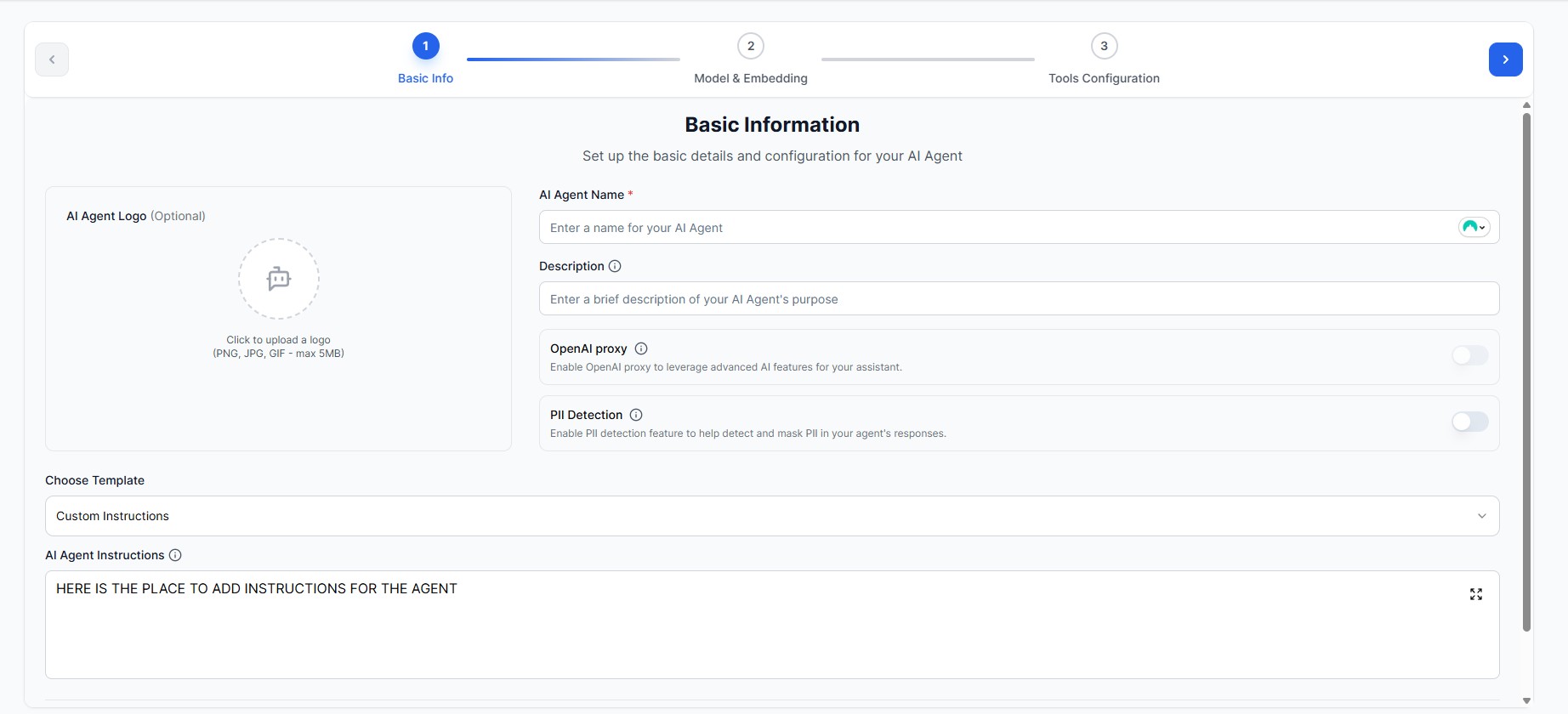
Where: Basic Info → AI Agent Instructions field
Knowledge Base Files
Documents with factual content the agent searches per question: product docs, policies, FAQs, and crawled web pages.
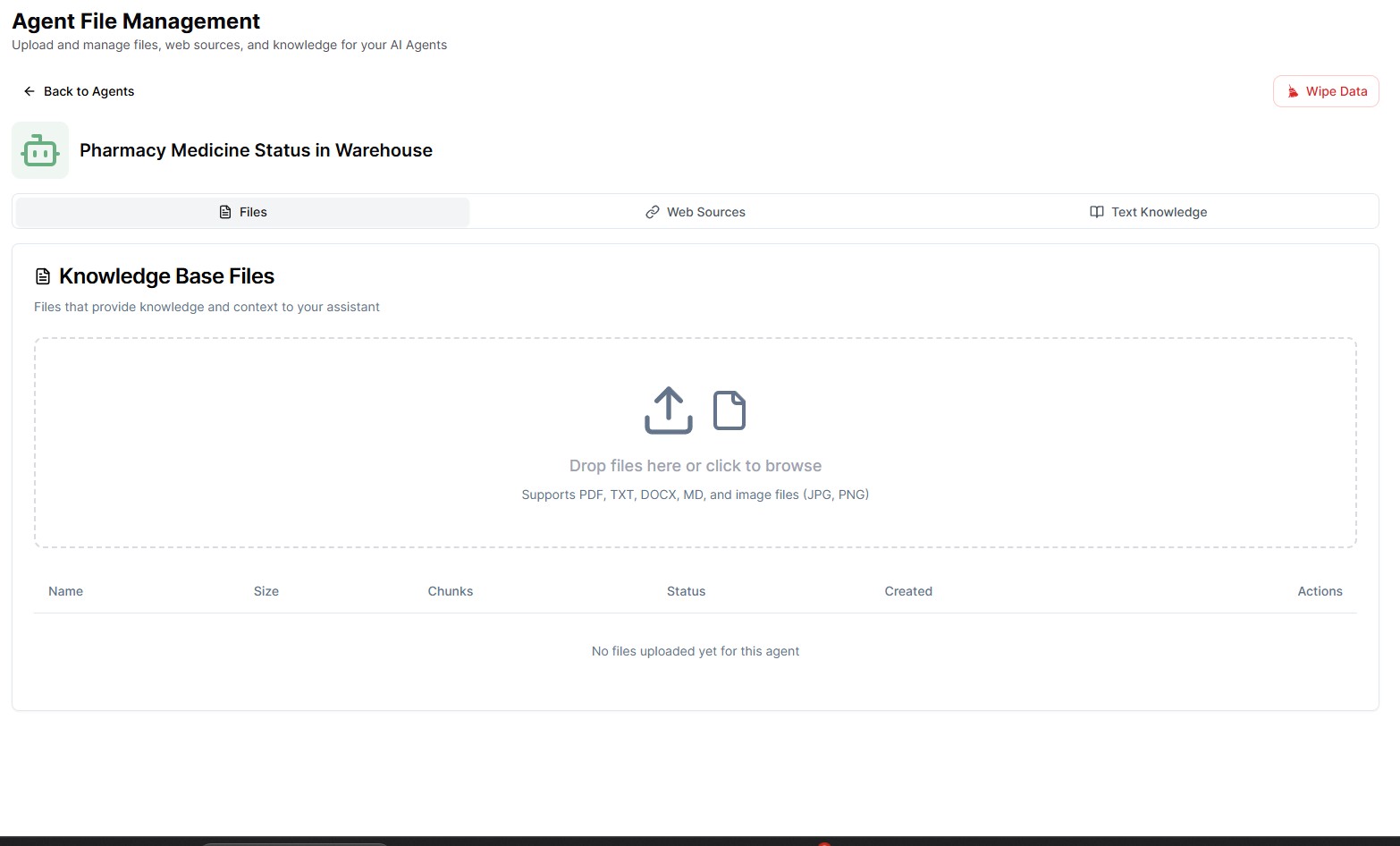
Where: Agent File Management → Files tab
What goes where
| Aspect | Agent Instructions | Knowledge Base Files |
|---|---|---|
| Purpose | Define HOW the agent behaves | Store WHAT information it retrieves |
| Content | Role, tone, rules, escalation triggers | Facts, policies, documentation, FAQs |
| Format | Plain text (roughly 500-1,000 words) | PDF, Word, Office, CSV, web sources |
| How it is used | Always included in the agent's context | Chunked and retrieved per question via hybrid search |
| Updating | Edit directly in agent settings | Upload new files, remove outdated ones |
How retrieval works
When you upload a file, it is split into small chunks and embedded into the vector database. On each user question, the agent runs a hybrid search - combining keyword and semantic matching - and answers from the most relevant chunks. This is why file structure matters: clear titles, headings, and short paragraphs produce chunks the search can actually match. See how files are organised for file preparation guidelines.
Example: good agent instructions
You are a helpful customer support agent for TechStore, an online electronics retailer.

**Your Role:**
- Assist customers with product questions, orders, and technical support
- Always be polite, professional, and empathetic
- Respond in a friendly, conversational tone

**How to Use the Knowledge Base:**
- Search the knowledge base for product specifications, policies, and FAQs
- Base your answers strictly on retrieved knowledge - never invent facts

**Handling Retrieval Results:**
1. If NO data is found, respond: "I couldn't find that information in our knowledge base. Let me connect you with a team member who can help."
2. If retrieved information CONFLICTS, ask the user to clarify which aspect they are asking about
3. If retrieved information is INCOMPLETE, answer what you found and acknowledge what is missing

**Response Guidelines:**
- Keep responses concise (2-3 paragraphs maximum)
- Use bullet points for lists of features or steps
- For technical issues, provide step-by-step troubleshooting

**Boundaries:**
- Do not make promises about delivery dates without checking the knowledge base
- Do not process refunds or returns - hand off to the returns team
- Do not share internal company information
What makes it good
- Clear role and tone definition
- Explicit rules for missing or conflicting data
- Strict "answer only from knowledge" rule
- Response format and length guidance
- Boundaries and escalation triggers
What to avoid
- Actual product data (put it in knowledge files)
- Copied policy documents (upload them instead)
- Instructions longer than about 1,000 words
- Vague guidance like "be helpful" with no rules
Common mistakes
Pasting facts into instructions
Product catalogs, price lists, and policy documents belong in knowledge files. In instructions they bloat the context and cannot be updated file by file.
Putting behavioral rules in knowledge files
Uploading a PDF called "How to Respond" does not work - knowledge is only retrieved when it matches a user question. Behavior belongs in the instructions field.
No anti-hallucination rules
Without explicit rules for "no data found" and conflicting results, the agent may invent answers instead of admitting it does not know.
Poorly structured knowledge files
Scanned images, missing headings, and huge paragraphs produce fragmented chunks that retrieval cannot match well. Use clear titles, headings, and short paragraphs.
Quick decision checklist
| Ask yourself | Put it in |
|---|---|
| Does it describe how the agent should speak or act? | Instructions |
| Is it a fact a user might ask about? | Knowledge file |
| Does it change often (prices, stock, policies)? | Knowledge file |
| Is it a rule for escalation or refusal? | Instructions |
| Is it longer than a page? | Knowledge file |
For ready-to-adapt instruction templates, see instructions examples.
Ready to apply this? Create an agent and set up its instructions and knowledge base in a few minutes.
Start building your agent